Sanctuary Brief Field Notes
Tool GuidesGet More from the Hero Specialty Tiles You Already Own
Your Hero Specialty board may have more to give. See how one rearrangement kept a Shooter attack bonus and added defense and HP—using the same tiles.
You’ve moved tiles around, lined up useful bonuses, and reached a Hero Specialty board in Puzzles & Survival that feels finished. Then you check it with Sanctuary Brief—and find an arrangement you hadn’t considered.
That’s the reason to keep the Hero Specialty Board Lab close at hand. It helps you find more value in the tiles you already own, with a clear comparison so you can decide whether the changes suit your goal.
A board that looked finished
The saved starting board below already had a +40% Shooter ATK bonus. It also activated Fighter, Rider, and Troop bonuses. There was plenty going on, and it would have been easy to leave it there.
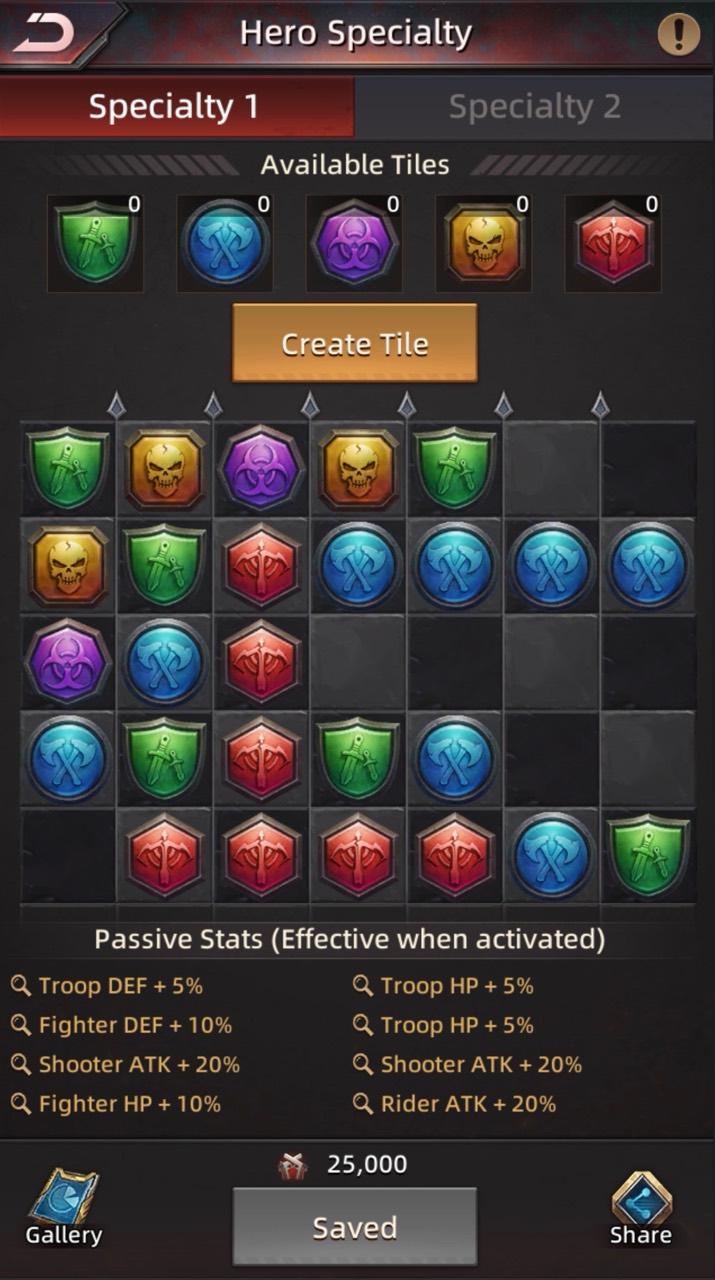
For this comparison, the goal was Shooter + Balanced. We wanted to strengthen Shooter bonuses across attack, defense, and HP. The recommendation used the same tile supply.
Same tiles. More for Shooters.
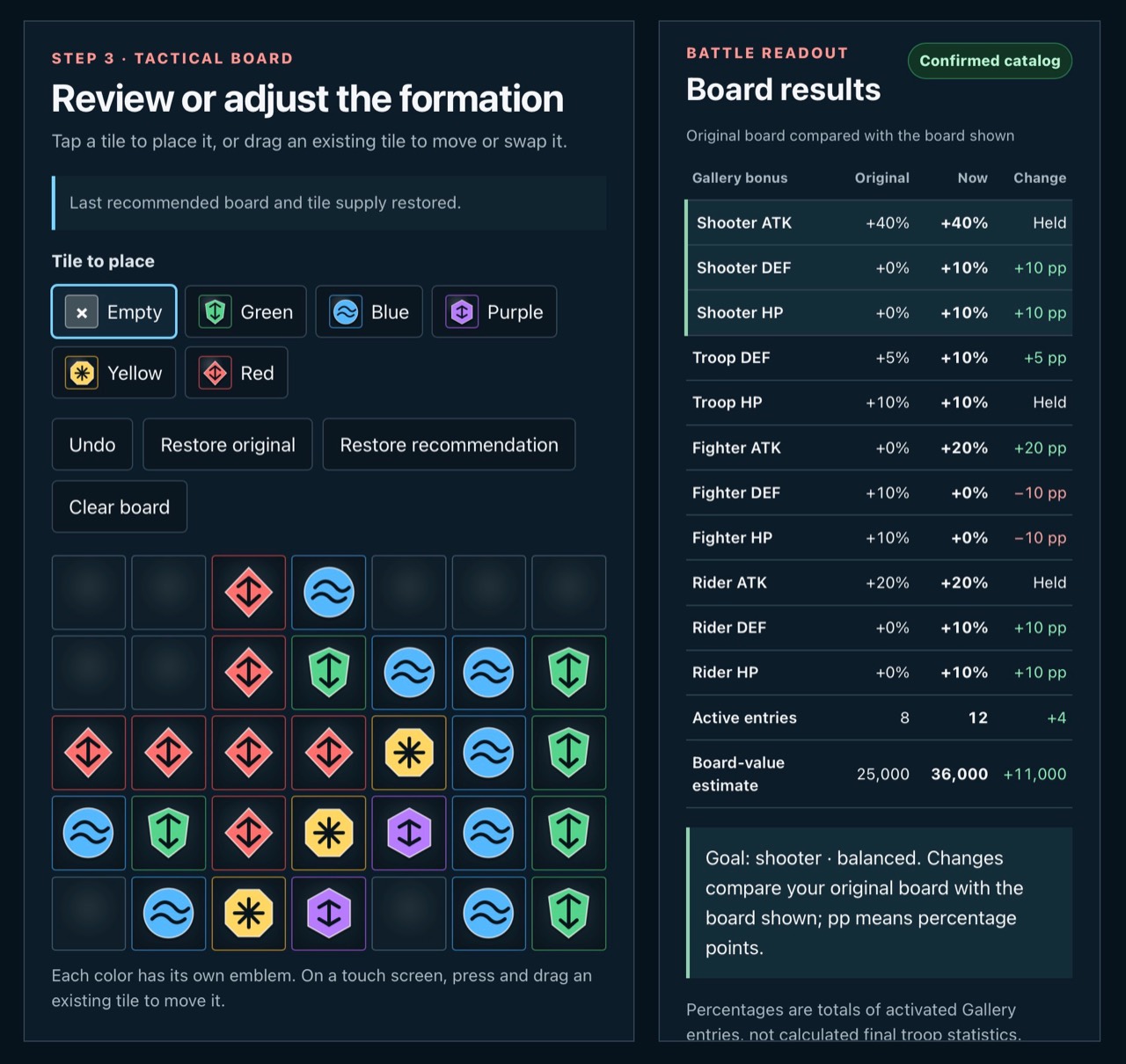
The recommended layout kept the +40% Shooter ATK bonus and activated +10% Shooter DEF and +10% Shooter HP. Those extra bonuses came from a different arrangement of the tiles already available.
| Shooter bonus | Original | Recommended |
|---|---|---|
| ATK | +40% | +40% — held |
| DEF | 0% | +10% — added |
| HP | 0% | +10% — added |
See what every change does
The comparison also showed Troop DEF rising from +5% to +10%, with Troop HP holding at +10%. There were tradeoffs: Fighter DEF and HP each fell from +10% to 0%, while Fighter ATK rose from 0% to +20%.
That’s why choosing your focus matters. Review the full comparison before copying a layout, so the bonuses you gain—and any you give up—fit the troops and stats you care about.
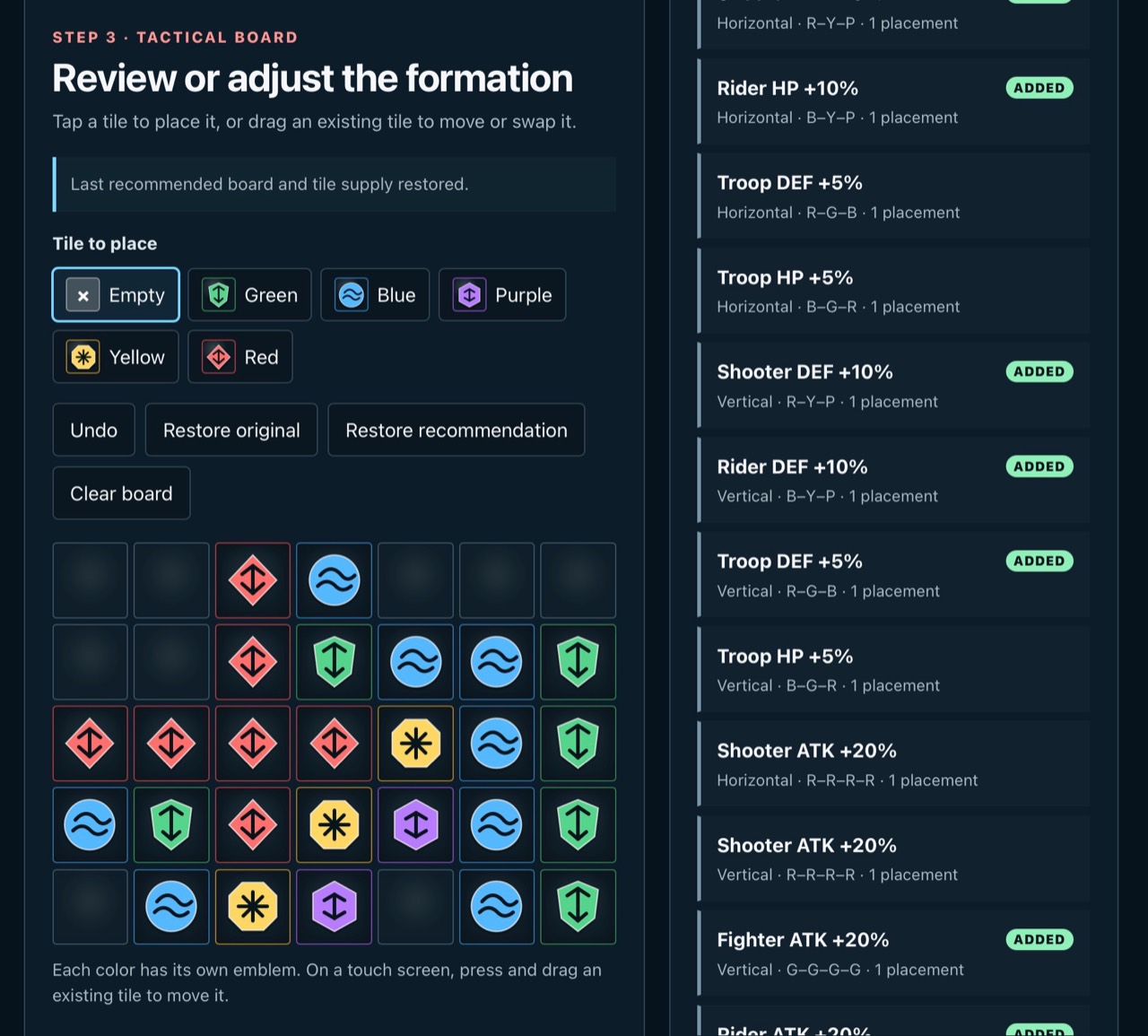
Want to understand a bonus? Select an Activated Gallery entry to highlight the tiles that create it. You can also move or swap tiles yourself and watch the readout change.
See the tile patterns behind these bonuses
Try it with your own board
- Choose your goal. Open the Hero Specialty Board Lab, pick your troop focus, and choose the stat priority you want to improve.
- Bring your current board. Upload a screenshot from the game of your hero’s specialty board. If the import looks correct, then choose Confirm and recommend.
- Compare, then try the layout. Read the gains and losses, copy the recommended arrangement into the game, and watch your stats climb!
Prefer to enter your supply yourself? Count both placed and unplaced tiles available to Specialty 1, enter the totals, and choose Build my recommended board.
One new tile is a good reason to check again
A board that worked well yesterday may have more to offer after your next tile. That one addition can make another combination possible, so update your supply and give the tool another look.
In our own experience, checking again often uncovers something we missed—even when we were happy with the layout. You won’t necessarily gain on every run, but you’ll be able to see where you stand.
Make the most of your next check
Keep your starting point
Use Restore original and Restore recommendation to compare the two boards while you review the changes.
Let your goal lead
Choose the troops and stats you want to strengthen, then check every gain and loss before committing to the layout.
Your next useful boost may already be sitting in your tile supply.
Notes from the alliance
Keep it useful and respectful. No personal contacts, private player details, harassment or spam. First comments receive human review. Comments can suggest editorial corrections; they do not establish game facts.
Report a concern to Support with the article link and comment number. Reply-email subscriptions, when offered, are optional and separate from SMS consent.
Comments are closed while the account and moderation experience is being checked. You can still send a correction to Support.